Report-32
Last updated March 17, 2026
Channel Data Gaps (Excel only)
This Excel report helps you identify and fix gaps in meter readings caused by:
- Missing meter readings
- Incomplete interval data imports
Key features
- Lists date and time gaps in channel data.
- Shows affected meters or channels.
- Flags periods with incomplete or missing data.
Use case
Use this report to:
- Spot data gaps quickly.
- Correct errors in existing readings.
- Load missing data to ensure accurate reporting and analysis.
Report-32 is available as: Excel

Report-32 tip
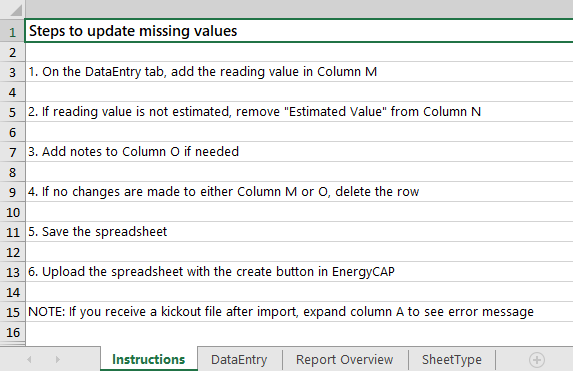
You have the option to enter an estimated or actual value and add a reading note.
Set your filters Report-32
- Set the Begin date.
- Set the End date.
- Choose the Meter and channel code.

Available filters for Report-32
Required filters
- Begin date - Set the start date for the report.
- End date - Set the end date for the report.
- Meter and channel code - Select the meter and the channel you want to report on.