Bill split overview
Bill split facts
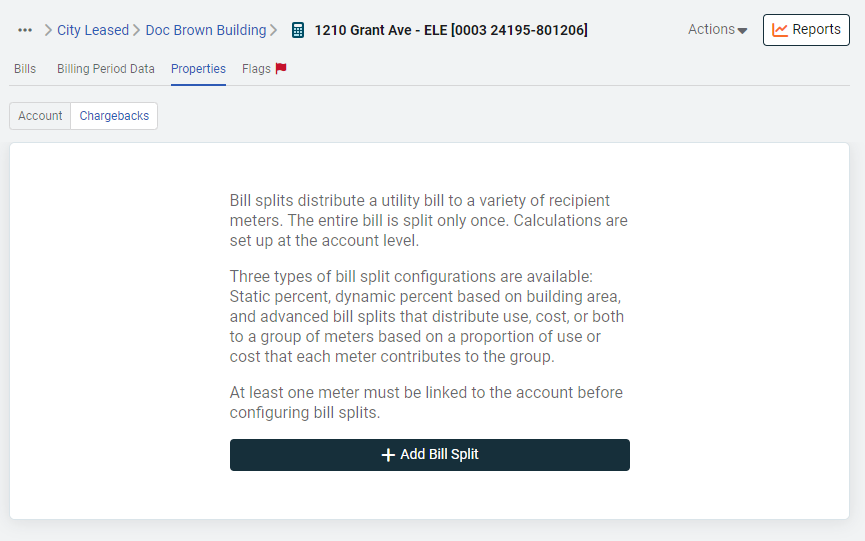
Bill splits:
- Distribute a utility bill to multiple destination meters.
- Split the entire bill at the same time.
- Can only be applied one time per bill.
- Are configured on the account.
You can configure any account as a bill split source.
*Bill split chargebacks is a different feature from splitting account charges when importing bills. Do not confuse the two options.
TIP: To view all your configured bill splits download an Update Bill Splits setup spreadsheet.
Special considerations for account charges
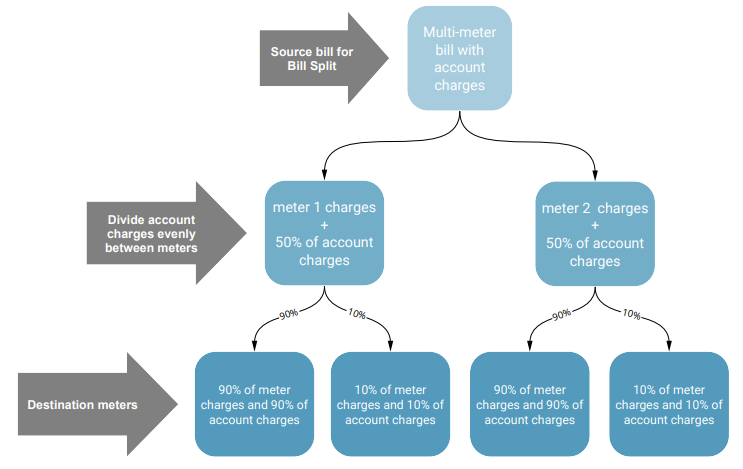
- If you only split part of the bill (meaning you don't split every meter on the bill) account charges are not included in the bill split.
- When the entire bill is split, account charges are split evenly to the meters on the bill.
Bill split options
- Static percentages
Manually enter percentage values in EnergyCAP to split the bill. - Dynamic percentages
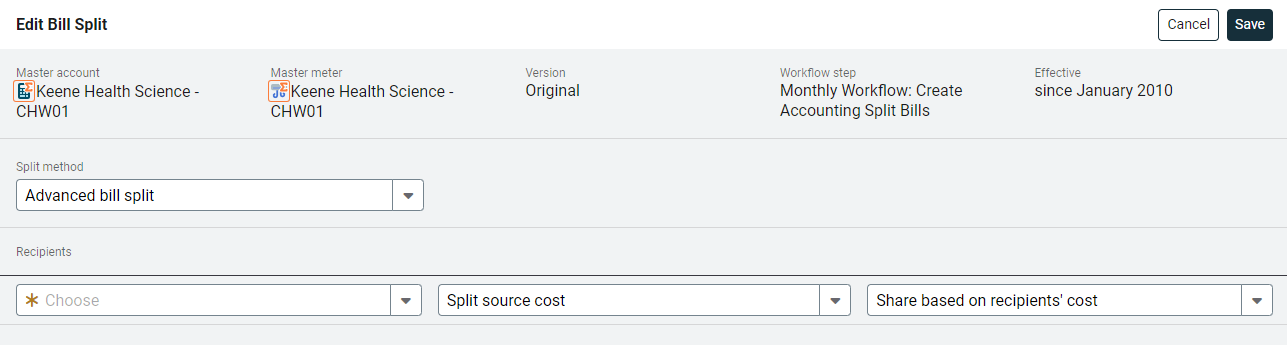
Automatically calculate percentages based on each meter's floor area. - Advanced bill splits
Distribute use, cost, or both to a group of destination meters. The split is based on the proportion of use or cost each meter contributes to the group. Advanced bill splits do not split account charges. (Only non-void, non-accrued bills are used in this calculation.)
Static percentage
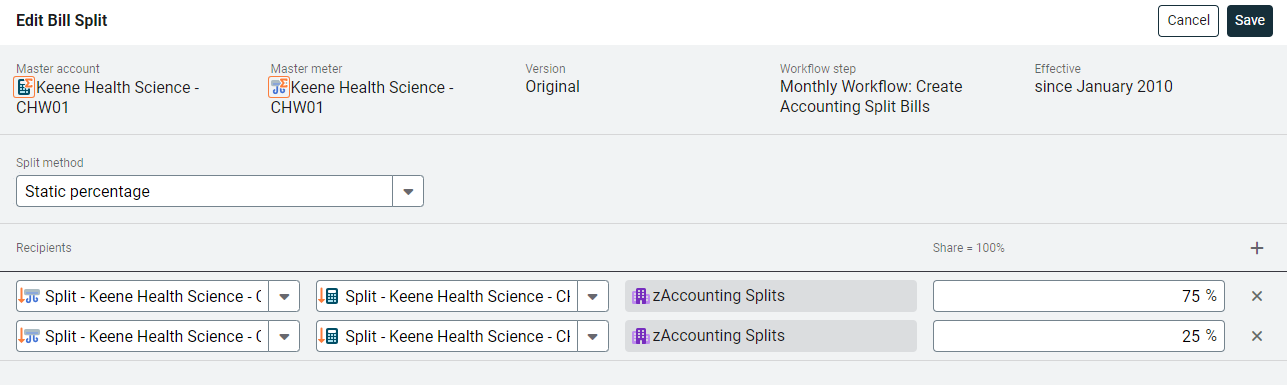
In a static percentage configuration percentages are manually entered in EnergyCAP.
Details
- The total is not required to equal 100%, the total can be less than or greater than 100%.
- If the total equals 100% the sum of the destination bills exactly match the source bill amount.
- Percent precision is up to 8 decimal places.
Example
Percentage total is less than 100% when only a portion of a building is being reimbursed by tenants.
Dynamic percentage based on area
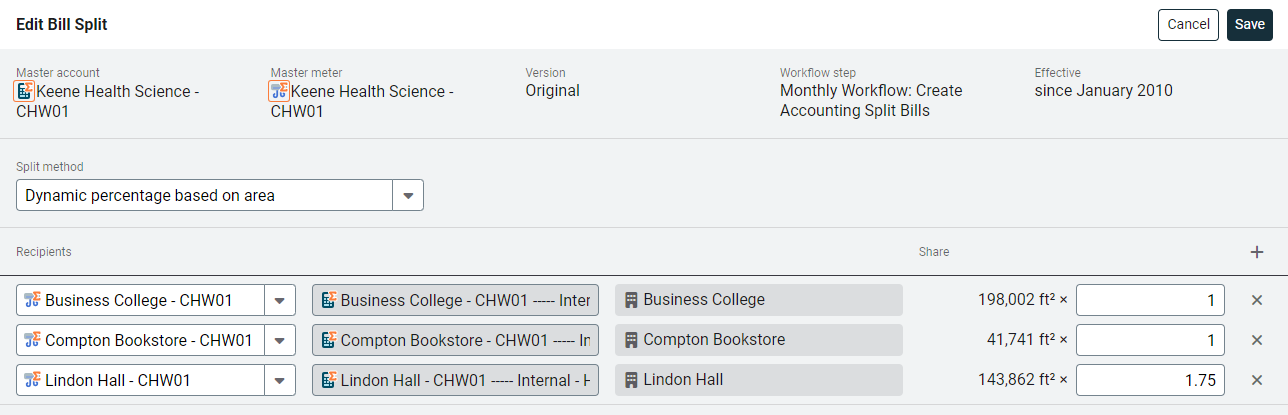
In a dynamic percentage configuration, bill split percentages are proportional to the floor area that each destination meter's parent site contributes to the total floor area.
Details
- The total of all created bills is 100% of the source bill.
- Floor area units can be different from site to site (square feet and square meters).
- Some sites can have zero floor area (for example, when a building is under construction or is decommissioned).
- If all floor areas are zero, the bill split process fails.
- Differences in energy utilization can be configured with a weighting factor.
- Bill split percentage calculations use the floor area that is effective for the first day of the specified billing period.
Example
A weighting factor is assigned to a meter giving it lighter or heavier importance in a group. A warehouse may have a lighter weighting factor (.25) and a data center may a heavier weighting factor because it uses more cooling. (1.75).
These weighting factors make sure everyone receives their fair share of the bill.
Advanced bill split
- Choose a meter group to receive bill splits.
- Determine if you are splitting the source use, cost, or both use and cost.
- Determine if the proportional share is based on the destination's use or cost.
Destination bills only have a single line if use or cost is configured, or two lines if both use and cost are configured. (Static and dynamic splits get each line item from the source bill.)
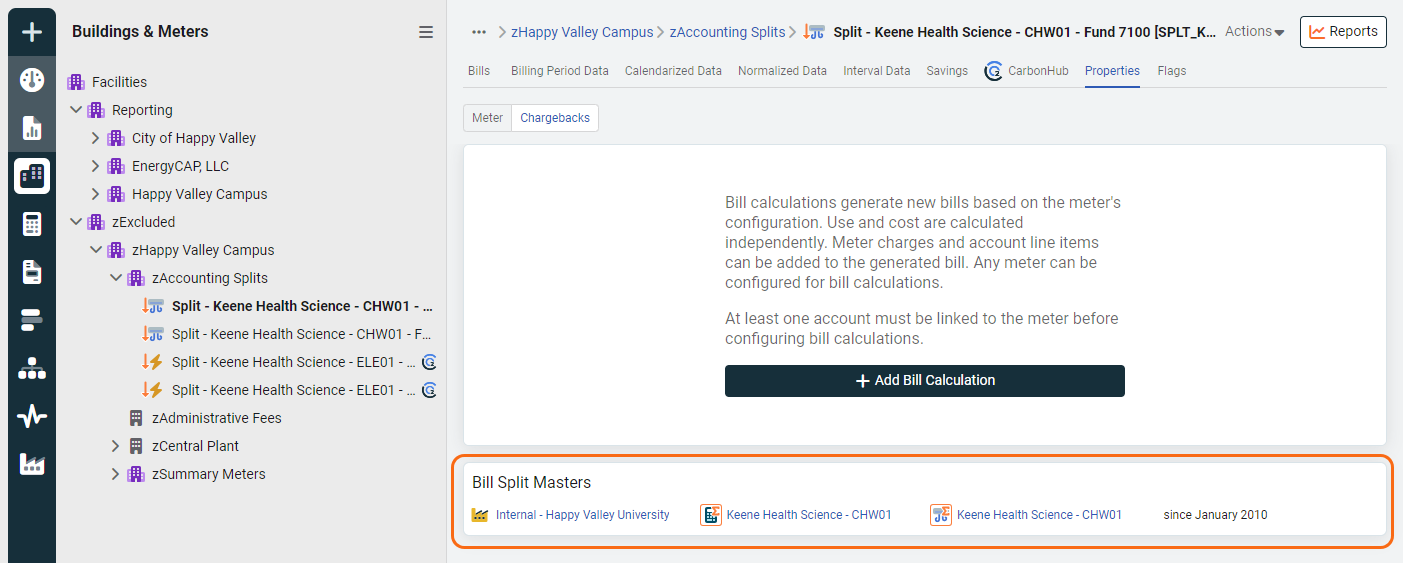
Bill split source information is visible on the Properties tab of the destination meters, regardless of your topmost restrictions. If you have access, you can view the source vendor, account, or meter.
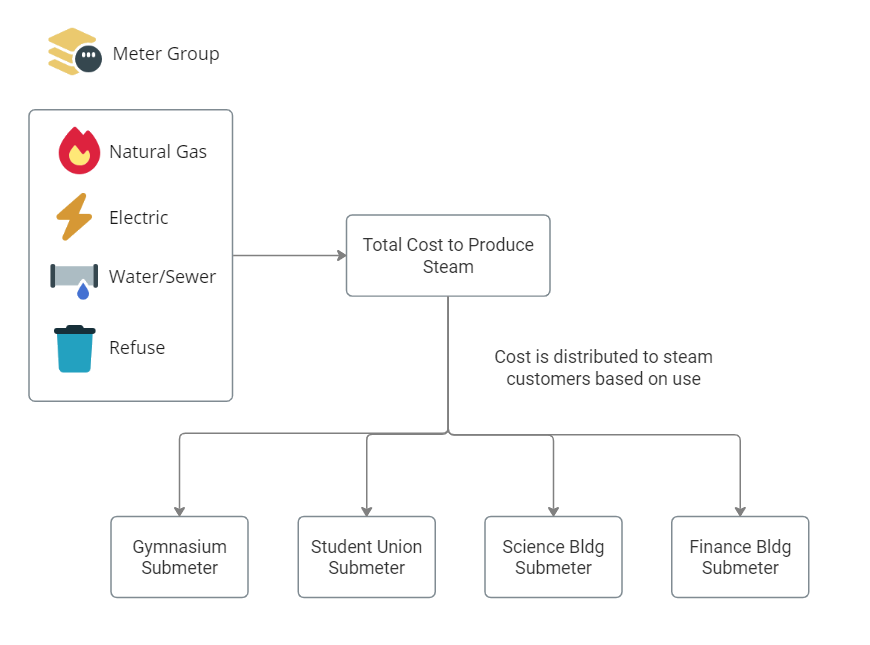
Example
Distributing the total costs of an energy plant to four buildings based on each sites's use.
Bill split true-up
Each bill line and any account charges are split separately. If the split percentages equal 100% and a bill line or account charge cannot be evenly distributed, (for example distributing a $15.01 account charge to three meters) EnergyCAP makes sure the total cost of the split bills equals the total cost of the source bill.
- The meters are split in the order specified during the split configuration (not necessarily in alphabetical order).
- The last meter receives an adjustment (either adding or subtracting a penny) when necessary to true-up the bill (in this example, the first meter receives $5.00, second meter receives $5.00, and the third meter $5.01).