Notifications
Last updated October 20, 2026
Notifications let you stay up to date with application updates, new features, and system events.
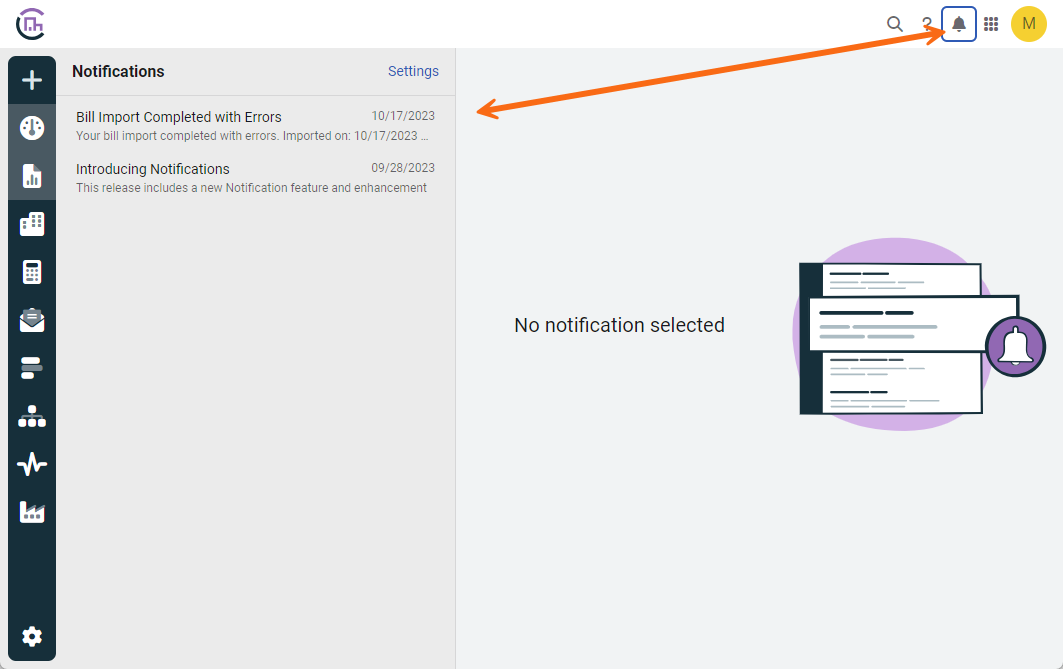
You can open the Notifications screen by clicking the bell icon in the upper-right corner. From this screen, you can manage your preferences by clicking the Settings link.
On the Notifications screen, you can:
- Read messages. Unread notifications are displayed in bold.
- Search the subject and body of all notifications using the search bar.
- Filter notifications using the Filters dialog. You can filter by read/unread status, alert type, and date range.
- Choose how to receive notifications:
- Show only in the application.
- Send by email.
- Turn notifications off.
Topmost permissions do not apply to notifications. You will receive all notifications regardless of your topmost assignments.
Notification settings
Click the Settings link on the Notifications screen to manage your preferences. In addition to delivery options, you can Turn on threads to group notifications that share the same type, subject, and message text.
Inactive users do not receive emails or notifications.
Administrator permissions
Administrators can control notification behavior for all users from Administration > Default Notification Settings.
- Set the default notification settings for new users.
- Disable the ability of users to receive notifications by email.
Available notifications
The following topics are available for you to configure in the Default Notification Settings dialog.
General Alerts
- System Message
Important system updates and status messages. Cannot be turned off. - Usage Alerts
Sent when meter or emissions source quantities exceed amount agreed upon in contract. - User Group Messages
Sent by an administrator or automated process to one or more user groups.
Automation
- Automatically Created Meters or Accounts
When meters or accounts are created by an automated process. Automatically created meters or accounts have no parent and should be moved. - Bill Capture Automation
When an automated Bill Capture upload or import completes or has an issue. - Bill Export to AP / Payment Automation
When an automated export completes or has an issue. - Bll Export to GL Automation
When an automated export completes or has an issue. - Bill Import Automation
When an automated bill import completes or has an issue. - ENERGY STAR Submissions Failures
When an ENERGY STAR submission fails or has errors.
Interval Data Alerts
- Trend Insights
Sent when data is outside the range forecasted using Trends Insights modeling. - Above/Below Threshold
Set when a reading goes above or below a set value. - Total Over Time
Set when the total of readings over a set period reaches a set value. - Reading Imports
Sent when new meter readings are uploaded manually or by automated import.
News and Suggestions
- Customer Service Messages
Messages sent directly from the EnergyCAP customer service team. - Help Articles, Tips and Suggestions
Curated help content and tips to help you get more out of EnergyCAP. - Updates and New Features
Announcements about new releases, feature updates, and product improvements.