About
Last updated October 7, 2026
The About dialog has system information helpful during a customer support call.
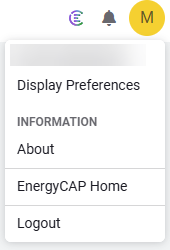
- Click your user avatar in the upper-right corner.
- Select About.
The About dialog includes system information:
- Connection URL
- Datasource
- System owner
- Version
- Upgrade Version V7
The About dialog includes user information:
- Name
- Username
- User Number
- User Role
- Topmost Place
- Topmost Cost Center
- Topmost Collection

Version refers to the software version and Upgrade Version V7 shows the last upgrade script applied (these are applied automatically when you log in).