Bill workflow settings
Bill workflow settings let you configure how the system handles utility bills. You can control what data is required in bill headers, how errors are managed during import, and when bills are exported. This option is locked and cannot be edited when you subscribe to Bill Capture.
You can access Bill Workflow Setting in the Bills module menu.
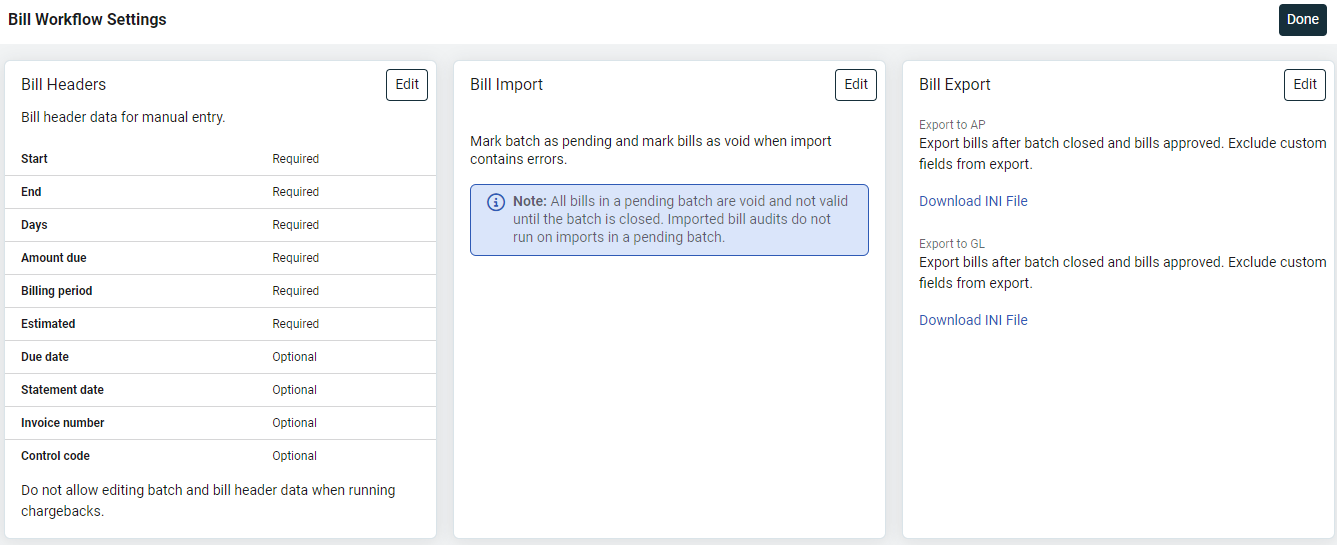
Bill Headers
Bill headers define which fields are required, optional, or unavailable when entering or editing a utility bill manually.
Bill header fields required by default:
- Start
- End
- Days
- Amount due
- Billing period
- Estimated
Bill header fields you can mark as optional or required. These fields are unavailable in the bill header section unless they are are marked optional or required.
- Due date
- Statement date
- Invoice number
- Control Code
- Next Reading
- Accounting period
Chargeback workflow settings
When you check Allow editing batch and bill header data when running chargebacks, a dialog is shown before chargeback processing begins. This gives you the chance to update bill header values before completing the process.
Bill Import
Bill import settings control how the system handles batches with error bills. All the details are here.
Bill Export
Bill export settings determine when bills are exported and whether additional bill lists are shown in the Bills module.
Types of bill exports
You can configure different options for each of the following export types:
- Export to AP
- Export to GL
- Export for Payment
Options for bill exports
- Do not export bills.
- Export bills after entry.
- Export bills after batch closed.
- Export bills after approval.
- Export bills after batch closed and bills approved.
- Include custom fields in export.
- Include payment details in export.